











If an account isn’t working, or you want to request a refund, first check whether the payment, plan, login details, and device use match the product instructions, then see whether the refund policy allows a request. “Lifetime replacement guarantee” on the homepage is marketing language; the outcome of a request is subject to the policy and customer-support review.
Check these items first
- Was the payment successful? Unpaid orders can’t be refunded.
- Did you choose the right plan? Check that labels such as Shared, Private, or top-up match what you expected. See Choosing a Plan.
- Have the login details already been shown? See Delivery & Activation.
- Did the use violate the device rules? You can be logged in on up to 1 device at a time. Issues caused by using multiple devices, an unsupported device, or violating login limits usually can’t be refunded. See Device and Usage Limits.
- Is the provider having a widespread outage? Even then, contact SubRya first to resolve your order.
We don’t provide third-party tutorials for bypassing the provider’s rules.
The 24-hour window and cases that may be approved
For regular subscriptions, a refund may be approved in these cases: a request made within 24 hours of purchase (a processing fee may apply); a duplicate payment; payment was made but the service wasn’t received within the promised time; or an unresolved technical issue that seriously affects use (evidence is required).
Refunds are usually not available after 24 hours. If there’s a problem with the product, we can help resolve it, or in some cases compensate with additional service time. For top-up services, also see the top-up refund terms in the policy.
The full rules are in the Refund Policy.
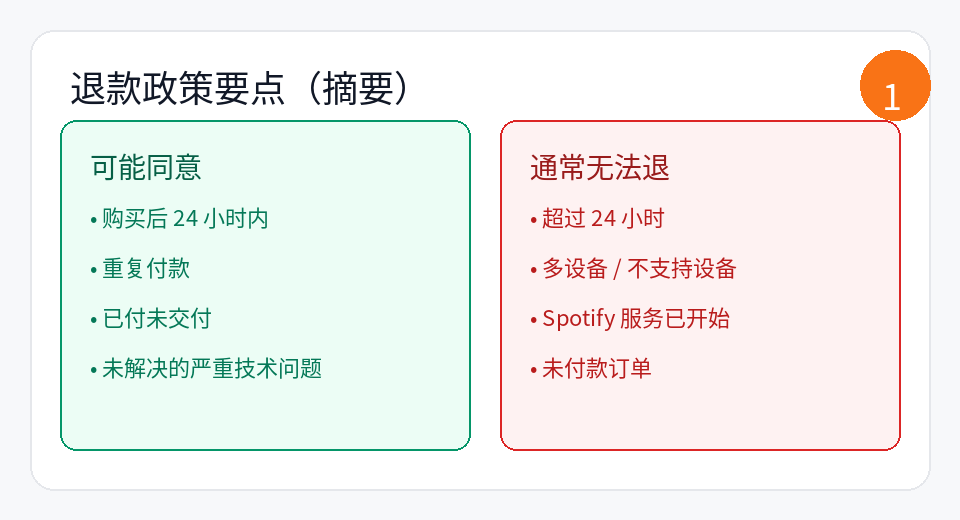
The image above is a summary of policy highlights. Go by the full policy text.
Also note:
- Spotify and similar services: The policy states that refunds aren’t available once the service has started. Even if the product page shows wording such as “worry-free refunds,” requests are still governed by the policy.
- YouTube: After a refund is completed, that account may be unable to join another family plan for the next 12 months.
- Multiple-device violations: Usually not refundable.
- Refund amount = order amount − refund processing fee − service fee. See the policy for details. You can also choose to receive the refund as wallet balance; in that case, a refund processing fee is usually not charged separately.
“Refund” on the order
If you see “Refund” on the orders page, first confirm that you’re still within 24 hours of purchase and that the request meets the policy, then decide whether to click it.
The image above is an example of the “Refund” entry on the orders page.
Don’t click “Refund” on the order until you’ve confirmed that the request meets the policy.
“Lifetime replacement guarantee” on the homepage is marketing language. The policy describes options such as replacing an account within a specified period in cases of force majeure. Replacement or refund requests are subject to review, and approval isn’t guaranteed.
“Report an issue” on the subscription card
If you’re told you aren’t a member, select “If you’re not a member, click to report an issue” on the subscription card.
The image above is an example of the issue-reporting entry.
Contact support
The footer states that support is 7×24, with a 12-hour response time. You can:
- Open “Support” from the profile menu, or use live chat on the Help page
- Submit a Support ticket (you need to be logged in; if you can’t log in, use live chat instead)
- Email support@subrya.com
- See Contact Us
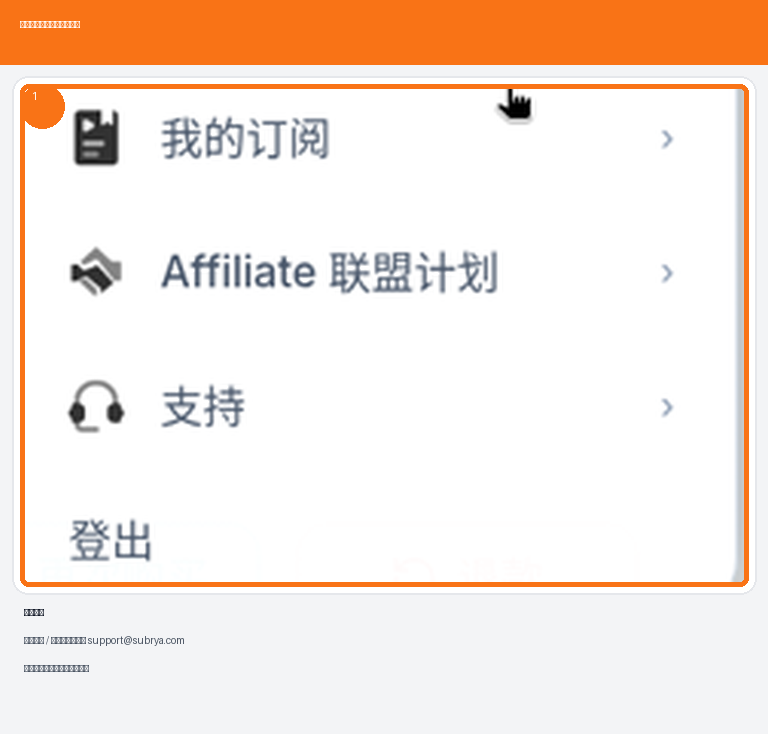
The image above is an example of the Support entry.
Please include: your order number; the email used to place the order and the order time; the product or plan name; what happened and the steps you’ve already tried; and a screenshot of the error. If you want to request a refund within 24 hours, explain the reason. False or abusive claims may result in account restrictions.
“Failed to get price” does not mean the purchase went through. Try again before you pay. If you’ve already been charged but nothing was delivered, that may be a case we can review; contact support to verify.